Browser Extension · v · coming soon

A real code editor
in a browser tab

Source Code Editor opens the VS Code workbench from your toolbar: your folders, repositories cloned from GitHub or GitLab, Git with commits, push, pull and merge, themes and 14 languages. Nothing to install besides the extension, and nothing leaves your browser.
● Free & Open Source ● ●
Source Code Editor
Source Code Editor: the VS Code workbench with an explorer showing a cloned repository, tabs and a Markdown file

// screenshots

See it in action

The editor you know, with Git that works without a terminal.

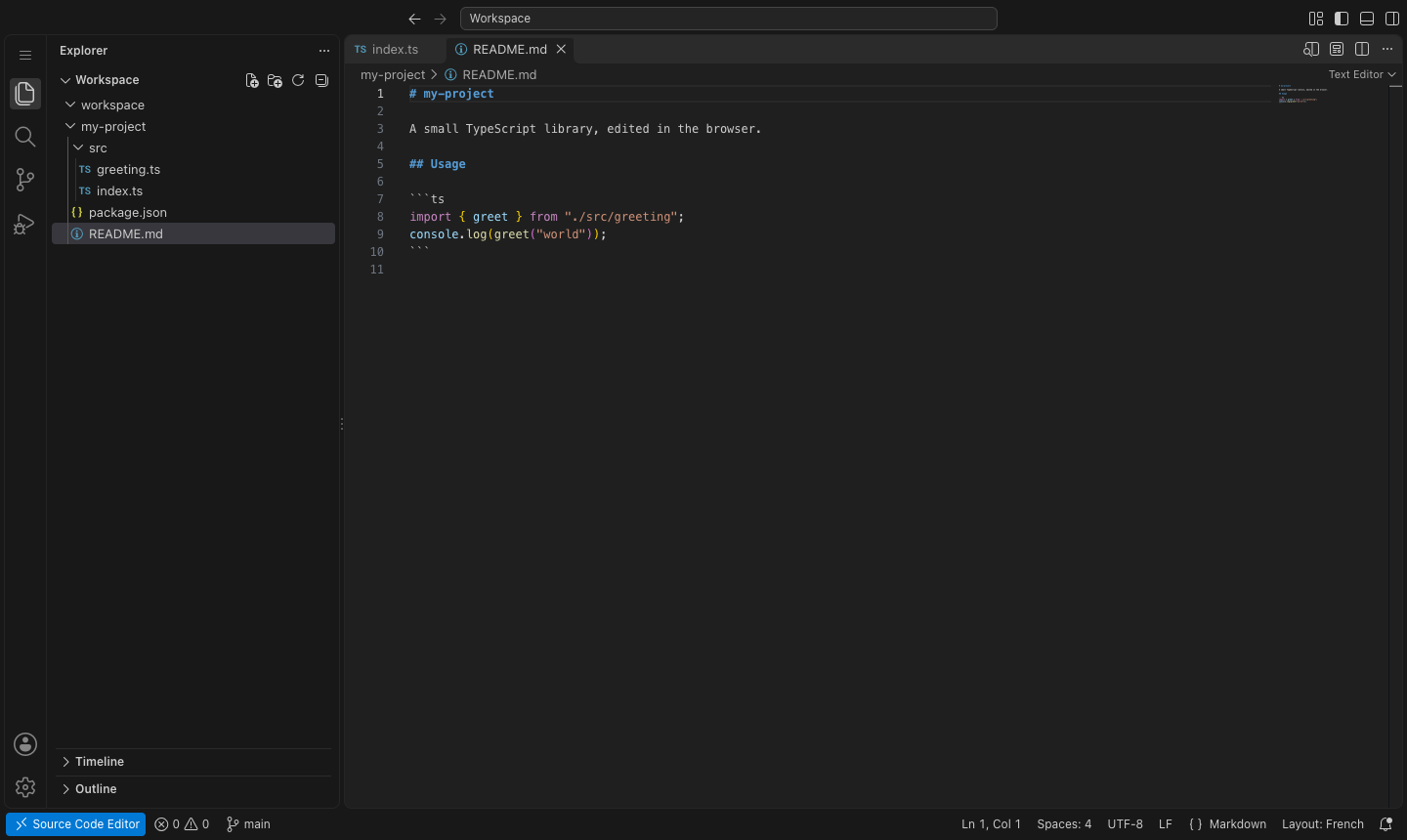
The workbench with the explorer, the editor tabs and a Markdown file
// The workbench: explorer, tabs, command palette, themes and settings
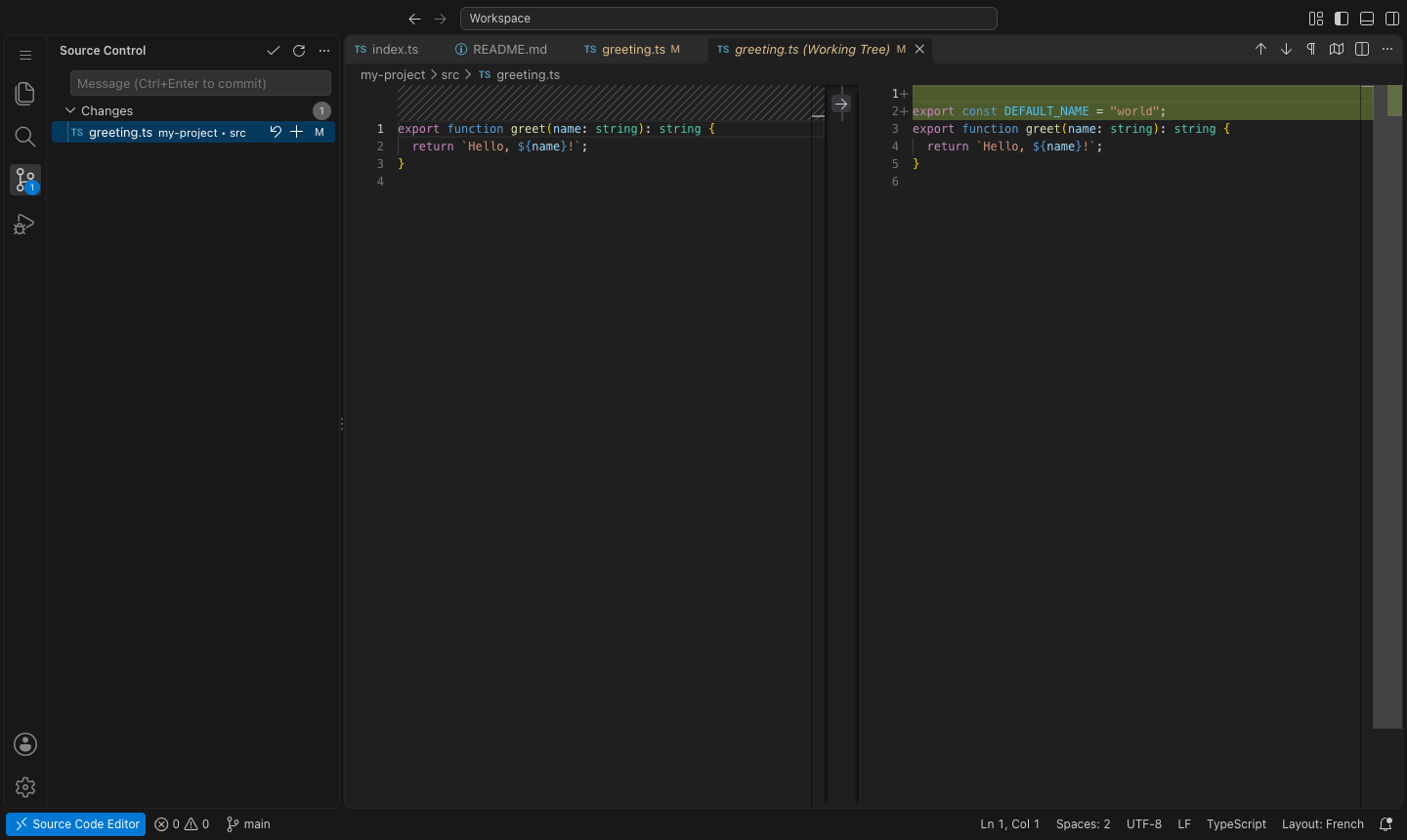
The Source Control view with a changed file and its diff against the last commit
// Source Control: changes, diffs, stage, commit, push and pull
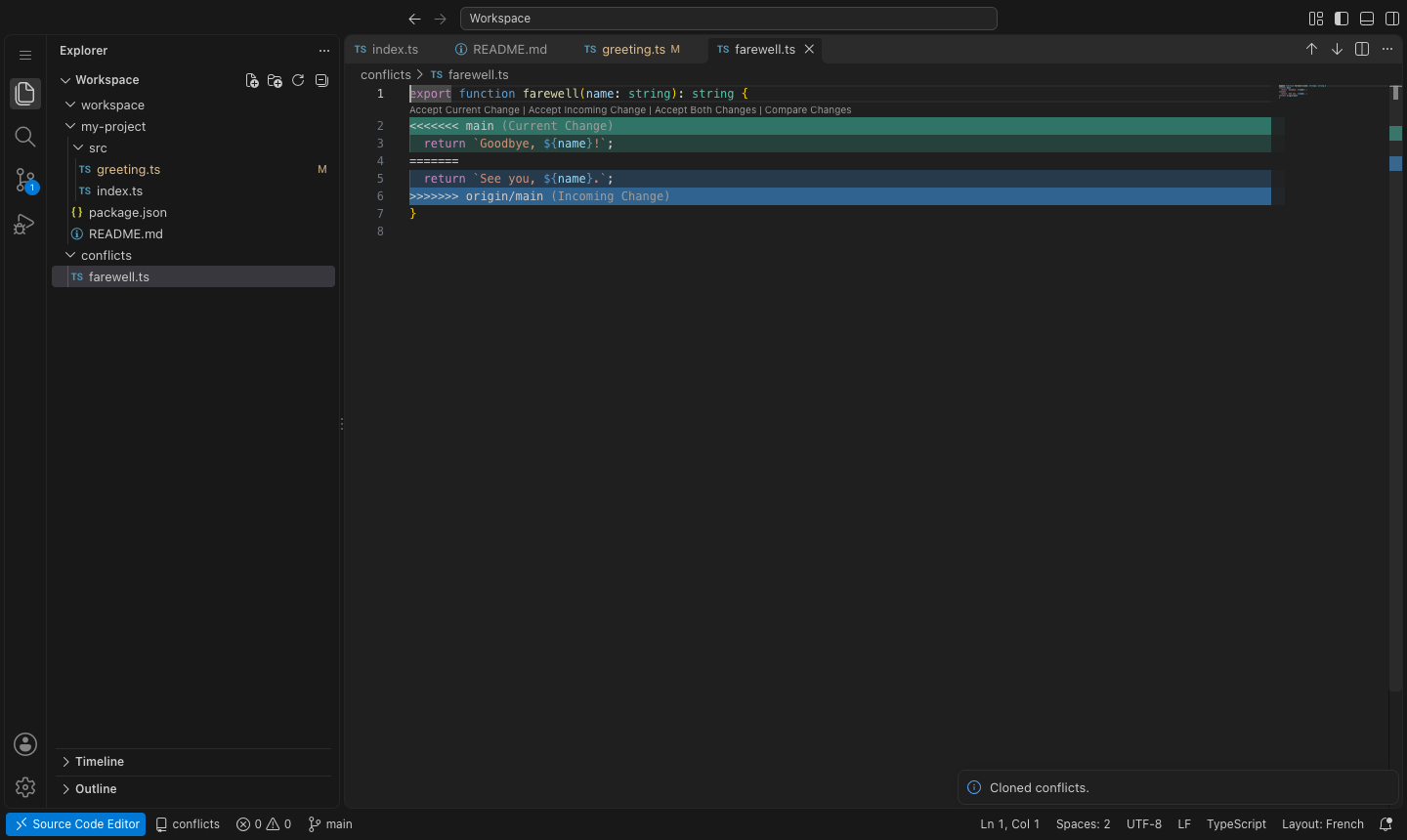
A file with conflict markers and the actions to accept the current change, the incoming change or both
// Merge conflicts, resolved in the editor with one click

// features

Everything you need
to read and change code

Built for developers who want an editor wherever a browser is. No account, no tracking.

🧩

The VS Code workbench

Explorer, search, source control, command palette, settings editor, split editors and themes: the same interface, in a tab or in a standalone window.

📁

Your files, kept in the browser

Open a local folder on Chromium, import one on Firefox, or start from sample files. Your work is stored in the browser and is still there after a reload.

⬇️

Clone a repository

Clone a public or private repository from GitHub, GitLab or any Git server over HTTPS, straight into the browser.

🌿

Git without a terminal

Stage, commit, create and switch branches, push, pull and fetch, with diffs and the status of every file next to its name.

🔀

Merge and resolve conflicts

Pull merges what others pushed. Conflicts get their own group, and you accept the current change, the incoming one or both without leaving the editor.

🔑

Private repositories

Sign in with an access token. It stays in this browser, is never synchronized, and you can forget it at any time.

📝

Markdown, Mermaid & 15 languages

Syntax highlighting for TypeScript, JavaScript, JSON, HTML, CSS, Python, Rust, Go and more, plus a Markdown preview with Mermaid diagrams.

🌍

14 languages

The interface speaks English, French, German, Spanish, Italian, Portuguese, Czech, Polish, Russian, Turkish, Japanese, Korean and Chinese (simplified and traditional).


From the toolbar
to your first commit

Three steps, no setup.

01

Open the editor

Click the toolbar button or press Alt+Shift+E. On a GitHub or GitLab repository page, the context menu opens that repository directly.

02

Bring your code

Open or import a folder, or choose Git: Clone Repository and paste an address. The menu at the bottom left gathers these commands.

03

Edit, commit, push

Change files, review the diff in Source Control, commit, and push the branch back to the remote.

version
browsers
3 browsers
languages
14 locales
license

// follow the project

Coming soon
to your browser

Free. Open source. No account needed. Everything stays in your browser.

Source on GitHub